

Sal used to reach for the remote before the opening credits finished. Not to change the channel. To turn the volume up. By the second scene of a British mystery the number on the screen sat somewhere in the fifties, and I was still leaning forward, still catching every third word, still asking him to repeat a line I had already missed twice. He never said anything about it. He just kept turning it up and I kept pretending I could hear it.
My hearing loss is mild to moderate in both ears, diagnosed three years ago. What I lose first is soft voices, fast dialogue and people talking over background music, which is most of television when you start paying attention. I am not an audiologist and I will not pretend to be one. I am a retired school librarian who reads the manual cover to cover and keeps notes, and these are my notes on one specific piece of equipment: the Avantree HT5009, a pair of over-ear headphones that arrives with its own small transmitter box.
We tried other things first. A soundbar made the explosions magnificent and the dialogue no clearer, because it was doing the same job the television was doing, only louder. The television's own dialogue setting, buried three menus deep, helped a little. I tried sitting on the floor. None of it separated the voices from everything sitting on top of them, and none of it gave me my own volume control while leaving Sal his.
What changed things in our house was that small box and a pair of headphones. The Avantree is not a hearing aid and it does not pretend to be. It is a way to get the television's sound into my ears at my own volume while Sal keeps the room speaker at his. Setting it up took one evening and one cup of tea. Here is the whole thing, in the order I would do it if I were starting again.
The setup that ended the volume argument in our house
One transmitter, one pair of over-ear headphones, one evening of fiddling with menus. Sal keeps the room. I keep the dialogue.
Amazon Check the Avantree HT5009 on Amazon →Step 1: Find out what audio outputs your television actually has
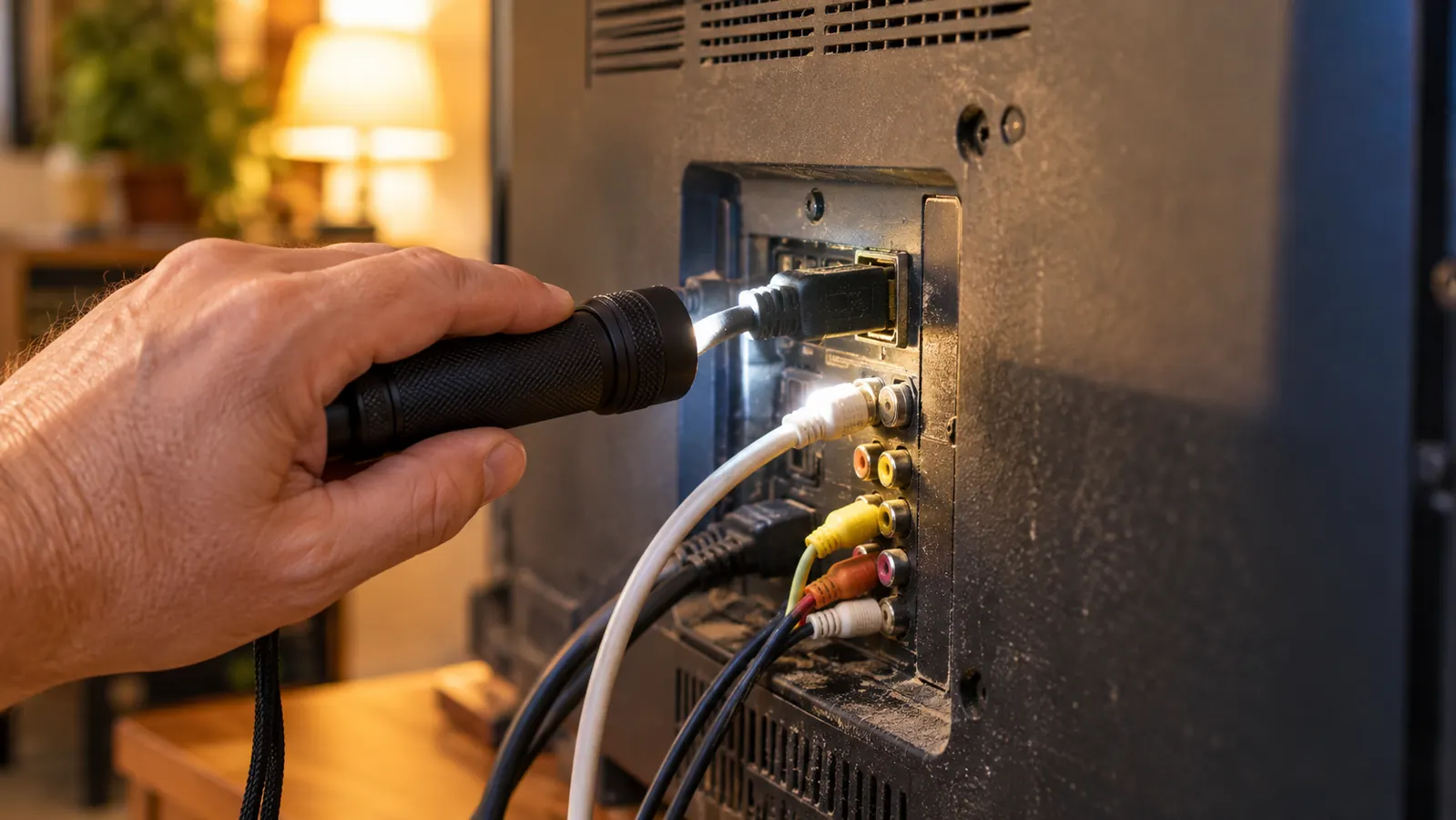
Before you buy anything, get down behind the television with a torch. I am serious. The back of a modern set is a small dark city, and the ports are labeled in a font clearly designed by someone who has never needed reading glasses. Take a photograph with your phone while you are down there, because you will not want to do it twice.
I found four things worth writing down. An optical port, which is a small square hole with a tiny shutter inside it, sometimes labeled TOSLINK or Digital Audio Out. A 3.5mm jack, the same size as the headphone socket on an old transistor radio, sometimes labeled AUX or Headphone. A pair of RCA jacks, the red and white circles that have been on the back of televisions since before I was born. And on newer sets, Bluetooth built in.
The HT5009 works with any of those. Mine is an optical household, so optical is the cable I used, and one cable was all it took. If your set has built in Bluetooth, you can skip the transmitter altogether and pair the headphones to the television directly, which is one less box on the cabinet. Write what you find on the back of an envelope and keep it in the drawer with the manuals, the way you keep a spare key where you will actually find it.
One more note for the envelope: write down the model number of the television itself, not just the ports. When I telephoned about the audio setting, the first question was the model, and I did not have it. It is on a sticker on the back, usually near the power cord, and it is the difference between a two minute answer and a twenty minute one.

Step 2: Plug in the transmitter and use exactly one cable
The transmitter is the small box that comes in the same package as the headphones. It has one job: take the sound the television is already sending out and carry it to the headphones without a wire stretching across the rug. You plug one end into the port you identified in Step 1, using the cable that matches that port. Then the transmitter goes into power, and the hardware side of this is finished.
Do not use two cables. That was my first mistake, because our set has both an optical port and a row of RCA jacks and I assumed more connections meant better sound. It does not. One cable, one port, and then tell the television to send its audio out that way. If you are using the 3.5mm jack, some sets also want the headphone output switched on in the menu before anything comes through at all.
That last part lives in the television's menu, not in the headphone manual, which is where I got stuck. Mine has a setting called Digital Audio Out Format, and it needed to be on PCM rather than Dolby. If your dialogue arrives as static, or as nothing at all, check that setting before you decide anything is broken. It took me twenty minutes and one phone call to learn that, and it is not a fault in the headphones. Write PCM on the same envelope.
Step 3: Switch on the headphones and turn on the dialogue mode
Mine arrived already paired to its transmitter. I charged the headphones, switched them on, and they found the transmitter on their own within a few seconds. Avantree's whole claim is that you skip the usual Bluetooth pairing ritual, and in my case that was true on the first try. If yours does not connect, the manual has a pairing diagram clearer than anything I could write here, and the procedure takes about a minute.
Then the part that actually mattered. The HT5009 has a Clear Dialogue Mode and an enhanced volume setting. In plain words, dialogue mode lifts the band where human voices live, so the voices come forward and the music settles back. It does not make everything louder. That is the entire point. Turning up a television turns up the explosions and the cello along with the words. This turns up the words.
I tested it on a British mystery, which is the hardest thing in our house, because the actors murmur and the soundtrack does its best to bury them. I heard the whole first scene without leaning forward. I will also be honest: in the quietest moments I noticed a faint hiss I do not hear through the room speakers. It is small, and after a week I had stopped noticing it. There is no lip sync lag that I can detect either, and I am fussy about that. If the sound trails the lips by a fraction I find a program unwatchable, and I would have told you so.
Step 4: Set two volumes, not one
There are two volume controls in this setup, and understanding that is most of the battle. One is the television's own volume, which Sal hears through the room. The other is the volume on the headphones, which I hear. They are independent, and that independence is the whole reason it works.
Here is how ours is set. The television stays at its normal listening level, somewhere around fifteen on our set, which is the number Sal likes. My headphones I adjust with the controls on the headphone itself, up for a mystery, down for a cooking show where everyone is shouting in a bright kitchen. I never touch the television anymore. In three months I have not once asked him to turn it up or turn it down, which after thirty years of marriage is its own sort of holiday.
A word on comfort, because it matters more than I expected. The headphones are over ear and weigh about 196 grams, which sounds like nothing and turns out to be light enough that I forget them during a two hour film. I have a narrow head and I wear reading glasses, and the band has not pinched either one. The battery is rated at forty hours, and I charge mine on Sunday mornings out of habit rather than need.
Step 5: Keep the room speaker working with pass through
The HT5009 supports pass through, which means the television's own speakers keep playing while the headphones are on. I did not understand why that mattered until the first Bills game of the season. Sal wants the crowd noise at a level that would peel the wallpaper. I want the announcers. With pass through, he gets his room and I get mine, at the same time, from the same television, and neither of us is being difficult about it.
One more thing I did not expect to care about is the range. Avantree rates it at about 164 feet, and I have walked out to the small kitchen to check a pot and never lost a syllable. That kitchen sits just off our family room, so this is genuinely useful and not merely a number on a box.
Set it up once and leave it. Ours lost power in a February storm and came back connected without my touching a thing, which is more than I can say for the printer. The headphones also carry a twenty four month warranty, which I noted in the back of the manual and have not needed. If you ever do need it, the registration card in the box is the thing that starts the clock, so fill it in during the first week rather than the first problem.
Turning up a television turns up the explosions and the cello along with the words. Dialogue mode turns up the words.
What Else Helps
Headphones are one tool, not the whole toolbox. Three other things made a real difference in our family room, and not one of them required a purchase.
Subtitles. I resisted for two years because it felt like admitting something out loud. Now I keep them on for mysteries and turn them off for football. If you are on the fence, try them for one week. What I did not expect is that they make me less tired at the end of a two hour program, because I am not working so hard to fill in the gaps myself.
Distance and soft surfaces. Our sofa sits about ten feet from the screen. Moving to the end of it closest to the television helped more than I expected, and a rug plus two cushions took some of the bounce out of the room. Hard floors and bare walls make dialogue mushy. That is not a hearing problem, that is a room problem, and you can fix a room problem on a Saturday afternoon with things you already own.
And a hearing test. I will say this plainly, because I put mine off for years: if you are turning the television up past what the rest of the house wants, go have your ears checked by an audiologist. Mine took forty minutes and told me exactly what I was working with, in both ears, in numbers I could understand. The headphones are a good tool for the hearing I have. They are no substitute for knowing what that hearing is.
If you are where we were two winters ago, with the number on the screen climbing and the conversation going quiet, I would start here. Not because it is a medical device, and not because it fixes anything, but because it ends a small daily argument that neither person in the argument ever wanted to have. Sal still reaches for the remote out of habit. He just does not have to.
Start with your own volume, not the whole room's
If the number on the screen keeps climbing, this is the simplest experiment I know. Read the manual, plug in one cable, and give it a week.
Amazon See Today's Price on Amazon →